Claude Code is an AI coding CLI that product designers use for UX research, design critique, specification documents, stakeholder communications, and production-grade frontend code. With structured project instructions like Solo Design Studio, it becomes an AI design process that covers the entire product design workflow from discovery to delivery.
When Anthropic launched Claude Code, the marketing was clear: it is a tool for software engineers. The terminal interface, the git integration, the code-first workflow. Engineers adopted it immediately. Designers scrolled past.
That was a mistake. Claude Code is the most powerful design tool most product designers have never tried. Not because it generates pretty mockups (it does not), but because it automates the 70% of design work that is not visual: research synthesis, stakeholder alignment, specification writing, accessibility auditing, and the frontend code that turns designs into real products.
What Do Designers Actually Do with Claude Code?
The question is not "can designers use a CLI?" The question is "what design tasks are better in a CLI than in Figma?" The answer: at least 7 categories of work that consume more than half of a product designer's week.
UX Audits on Live Sites
Claude Code connects to Playwright MCP to navigate live websites, capture accessibility trees, and run structured heuristic evaluations. Solo Design Studio's audit-ux skill runs a 50-point evaluation that checks navigation consistency, error handling, form usability, and WCAG 2.1 AA compliance in a single command.
audit-ux a11y-audit
Design System Extraction from Figma
The Figma MCP server gives Claude Code direct access to Figma files. The extract-style skill reads your Figma components, extracts color tokens, typography scales, spacing values, and border radii, then generates a structured design system document with CSS custom properties.
extract-style design-system
Structured Design Critiques
Solo Design Studio's design-critique skill applies 6 evaluation frameworks (Dieter Rams, Nielsen heuristics, Gestalt principles, accessibility, brand alignment, interaction cost) to any design. Each critique produces a structured report with severity ratings, specific recommendations, and priority ranking.
design-critique teardown
Spec Documents Engineers Read
The spec-doc skill generates specification documents from design decisions. It includes component behavior descriptions, state transitions, error handling rules, edge cases, and accessibility requirements. The output follows a template that maps directly to engineering tickets.
spec-doc handover
Stakeholder Communications in Executive Voice
The stakeholder-comms skill transforms design rationale into executive-friendly language. It produces 3 formats: a 2-sentence Slack summary, a 1-paragraph email update, and a structured decision brief with trade-offs, risks, and recommendations.
stakeholder-comms project-planner
Production HTML/CSS from Wireframes
Claude Code's core strength is code generation. The build-frontend skill takes wireframe descriptions or Figma references and produces semantic HTML, responsive CSS, and interactive states. The output is production-grade, not a prototype. It respects your design tokens and component conventions from knowledge notes.
build-frontend figma-to-code

Competitive Analysis with Structured Tables
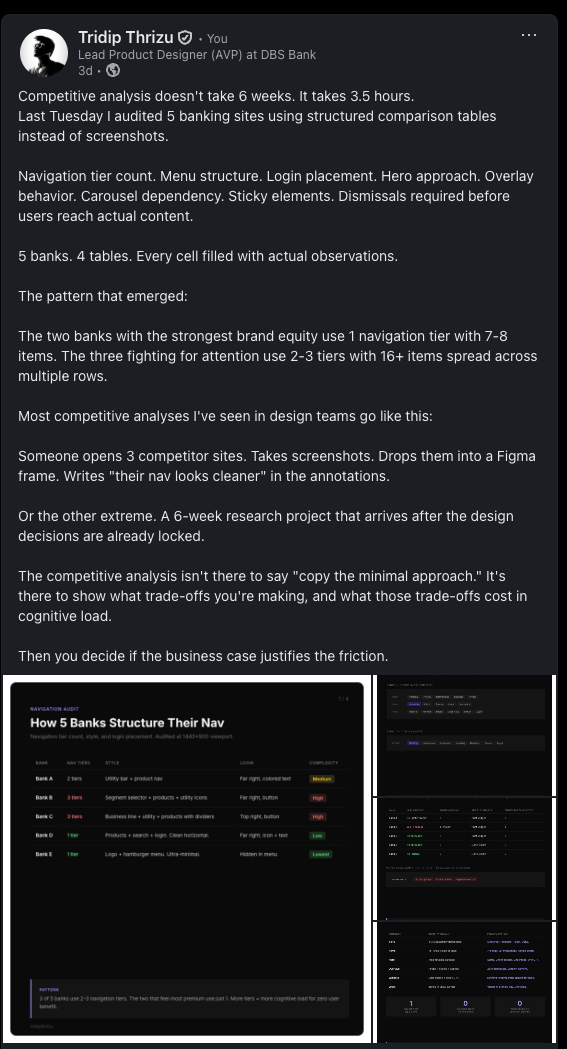
The design-critique and ux-teardown skills produce structured competitive audits. Navigation tier counts, menu structure, login placement, hero approach, overlay behavior. Every observation in a table cell, not a screenshot with "looks cleaner" annotations.
design-critique ux-teardown competitor-intel
Case Studies and Portfolio Pieces
The case-study skill generates structured case study documents from project notes, design decisions, and outcomes. It follows the Problem-Process-Solution-Impact format that hiring managers look for, with specific metrics and before/after comparisons.
case-study portfolio-piece brag-document
What Is the CLAUDE.md Advantage for Designers?
The feature that separates Claude Code from ChatGPT, Gemini, and every other AI chat tool is CLAUDE.md -- a project instructions file that loads automatically at every session start. This is what makes Claude Code function as an AI design process rather than a generic chatbot. For designers, this is transformative:
Project instructions = persistent design context
Your CLAUDE.md file contains your design principles, brand voice, component conventions, and workflow preferences. Every time you start a Claude Code session, this context loads automatically. No copy-pasting. No "remember, our brand uses..." preambles. Solo Design Studio's CLAUDE.md is 1,200+ lines of structured instructions that define the entire design workflow.
Skills = repeatable design protocols
A skill is a structured markdown file that defines a task protocol. It includes step-by-step instructions, output format specifications, quality gates, and decision frameworks. When you invoke /audit-ux, Claude Code loads the 200-line skill file and follows a precise evaluation protocol. The output is consistent every time, regardless of how you phrase your request.
Knowledge notes = frameworks that auto-load
Solo Design Studio includes 14 knowledge notes covering design systems, accessibility standards, critique frameworks, and motion design patterns. When you invoke the design-critique skill, the relevant knowledge notes load automatically. You do not need to tell Claude Code about Nielsen heuristics or WCAG guidelines -- that expertise is already in the knowledge layer.
The compound effect: After 2 weeks of using Claude Code with Solo Design Studio, your AI assistant knows your design system tokens, your component naming conventions, your stakeholder communication preferences, and your project history. It becomes a design partner, not a generic chatbot.
How Does Claude Code Compare to Traditional Design Tools?
| Task | Traditional Approach | Claude Code + Solo Design Studio |
|---|---|---|
| UX audit | Manual heuristic review. 4-6 hours for a comprehensive audit. Quality depends on the reviewer's experience. | Automated 50-point audit via Playwright MCP. 15 minutes for a full site. Consistent framework every time. |
| Design critique | Schedule peer review meeting. 30-minute meeting + 15-minute prep per reviewer. Feedback quality varies. | Structured critique with 6 frameworks. Produces severity-ranked recommendations in 5 minutes. Available 24/7. |
| Spec document | 2-4 hours writing in Confluence or Notion. Often incomplete on edge cases and error states. | Generated from design decisions with states, transitions, error handling, and a11y requirements. 10 minutes. |
| Design tokens | Manual extraction from Figma. Export plugin + spreadsheet formatting. 1-2 hours per system. | Direct Figma MCP extraction. Outputs CSS custom properties, JSON tokens, and documentation. 5 minutes. |
| Frontend code | Hand off to engineering. 1-3 day turnaround. Interpretation gaps between design and implementation. | Direct HTML/CSS output from wireframes. Semantic markup, responsive, accessible. Same session. |
| Stakeholder update | Draft email manually. Translate design decisions to business language. 30-60 minutes. | 3-format output (Slack, email, decision brief) in executive voice. 3 minutes. |
| Case study | Retrospective writing from memory. 4-8 hours. Often delayed or skipped entirely. | Generated from project notes, decisions, and outcomes. Problem-Process-Solution-Impact format. 15 minutes. |
The total time savings across these 7 tasks is approximately 15-20 hours per week for a solo product designer. That is 2-3 full working days recovered for actual design work.
How Does AI Handle Design Decisions Differently Than Code Decisions?
AI coding tools have quality gates for code: linting, type checking, test suites. If the code is wrong, the tests fail. Design has no equivalent gate. AI can generate a layout that looks clean but has the wrong hierarchy. It can write a spec that covers the happy path and misses 4 error states. It can frame a problem as onboarding when the real issue is retention.
Anthropic's own research found that developers who let AI produce without verification scored under 40% on comprehension. Developers who stayed in the decision loop scored 65%+. Same tool. The difference was whether the human evaluated the output.
For design work, verification means making the AI argue with itself before you see the result. In Solo Design Studio, every skill runs a multi-pass process:
- First pass: generate the analysis.
- Second pass: challenge every assumption in that analysis.
- Third pass: identify what is missing.
- Fourth pass: argue the opposite case.
What reaches you has already survived its own devil's advocate. You review a structured debate, make the final decisions, and move on. This is how AI handles design judgment: it proposes, challenges, and presents the survivors. You decide.
What Does a Claude Code Design Session Look Like?
Here is a typical 30-minute session for a solo product designer using Claude Code with Solo Design Studio:
# Run a UX audit on a competitor's checkout flow
$ /audit-ux https://competitor.com/checkout

Running 50-point heuristic evaluation...
Playwright MCP: navigating checkout flow (4 pages)
Accessibility tree captured for each page
Generating structured report...

# Critique your own design based on the audit findings
$ /design-critique checkout-redesign.fig

Loading design-critique skill...
Loading knowledge: nielsen-heuristics, gestalt-principles
Evaluating against 6 frameworks...
12 findings: 3 critical, 5 major, 4 minor

# Generate a spec document for engineering
$ /spec-doc checkout-flow

Generating specification document...
Including: component behaviors, state transitions,
error handling, edge cases, a11y requirements
Output: checkout-flow-spec.md (2,400 words)

# Write the stakeholder update
$ /stakeholder-comms checkout-redesign

Generating 3 formats:
1. Slack summary (2 sentences)
2. Email update (1 paragraph)
3. Decision brief (trade-offs + recommendation)
That is 4 deliverables in 30 minutes: a competitive UX audit, a structured design critique, a complete specification document, and a stakeholder communication in 3 formats. Without Claude Code, those deliverables would take 8-12 hours.
How Do You Get Started as a Designer?
Setting up Claude Code with Solo Design Studio takes 10 minutes:
- Install Claude Code. Follow Anthropic's installation guide. Claude Code runs in your terminal (macOS, Linux, or WSL on Windows). You need an Anthropic API key or a Claude Max subscription.
- Get Solo Design Studio. Purchase on Gumroad for $99. You receive a zip file containing the
CLAUDE.mdfile, 42 skill files, 6 agent definitions, and 14 knowledge notes. - Place the files. Unzip into your project directory. The
CLAUDE.mdfile goes in the project root. Skills go in.claude/skills/. Knowledge notes go in.claude/knowledge/. - Run your first skill. Open Claude Code in your project directory and type
/audit-uxfollowed by a URL. The skill loads, connects to Playwright MCP, and produces a structured UX audit report.
Recommended first skill: Start with /audit-ux on your own product or a competitor's site. It demonstrates the full power of Claude Code + MCP servers + structured skills in a single command. You will see the difference between a generic AI chat response and a skill-driven AI design process within 5 minutes.
What Are Claude Code Hooks and Why Do Designers Need Them?
AI is undeterministic. Same prompt, different output every time. You cannot control what AI produces. But you can control what passes.
A Claude Code hook is a rule that runs automatically before or after every AI action. You write it once. It fires every time. No discipline required.
For designers, hooks solve a specific problem: AI will hallucinate your brand guidelines, skip accessibility requirements, or forget your design system tokens between sessions. Hooks catch these failures before the output reaches you.
Five hooks that matter for design work:
- Before every strategy session: auto-loads the Jobs-to-Be-Done framework, your product vision, and last quarter's research. The AI cannot strategize without your context.
- After every spec is written: checks that component states are listed, edge cases are covered, and accessibility notes exist. Missing a state? Blocked until fixed.
- Before every file save: scans output for quality. Banned patterns get caught. Generic filler gets flagged.
- After every competitive audit: cross-references findings against previous audits. Flags patterns that keep appearing across competitors.
- Before any destructive action: blocks commands that could delete work. No accidental overwrites.
Engineers have had quality gates for decades. Hooks bring the same concept to design work: deterministic rules on top of an undeterministic system.
Which AI Coding CLIs Work for Designers?
Solo Design Studio is built for Claude Code but the skill files are plain markdown that works with any AI coding CLI that supports project instructions:
| CLI | Company | Compatibility | Notes |
|---|---|---|---|
| Claude Code | Anthropic | Full (primary) | Native CLAUDE.md support. Best MCP integration. Recommended for Solo Design Studio. |
| Codex | OpenAI | Full | Supports project instructions and markdown knowledge files. Compatible with all 42 skills. |
| Gemini CLI | Full | Supports project context files. Works with skill and knowledge note format. | |
| Cursor | Anysphere | Partial | IDE-based. Supports rules files. Most skills work but MCP integration varies. |
| Windsurf | Codeium | Partial | IDE-based. Supports markdown rules. Skill compatibility depends on MCP support. |
Is Claude Code Replacing Figma?
No. Claude Code and Figma serve different functions in a designer's workflow. Figma is for visual design: layouts, component libraries, prototyping, and design system management. Claude Code is for everything around the visual design: research, critique, documentation, frontend code, and career artifacts.
The most productive solo designers in 2026 use both. Figma for the 30% of work that is visual. Claude Code with an AI design process for the 70% that is not. Freelance designers find this combination particularly effective for delivering agency-quality work from a solo practice.
Can Claude Code generate Figma files?
Not directly. Claude Code can read Figma files via the Figma MCP server (extracting tokens, styles, and component structures) but cannot write new Figma files. It generates HTML/CSS as its design output format. For many use cases -- landing pages, marketing sites, email templates, documentation -- HTML/CSS is the final deliverable anyway.
Do I need to know how to code?
No. Claude Code generates the code. See the FAQ for more details on getting started. You describe what you want in design language: "a card component with 16px padding, the primary color as the header background, and a subtle shadow on hover." Claude Code translates that into semantic HTML and CSS that follows your design system tokens. You review the output visually, not the code.